Vehicle Acquisition Summary Report - Vehicles Tab
The Vehicles tab on the Report Results panel on the Vehicle Acquisition Summary screen is used to review vehicle acquisition statistics for the vehicle models most often acquired during the entered date range. A section displays for used and certified vehicle models.
Note - The Vehicles tab is only available when Vehicle Acquisition Transaction Date is entered in the Type field on the Report Criteria panel.

|
To access the Vehicles tab, select the Vehicles tab on the Report Results panel on the Vehicle Acquisition Summary screen. |
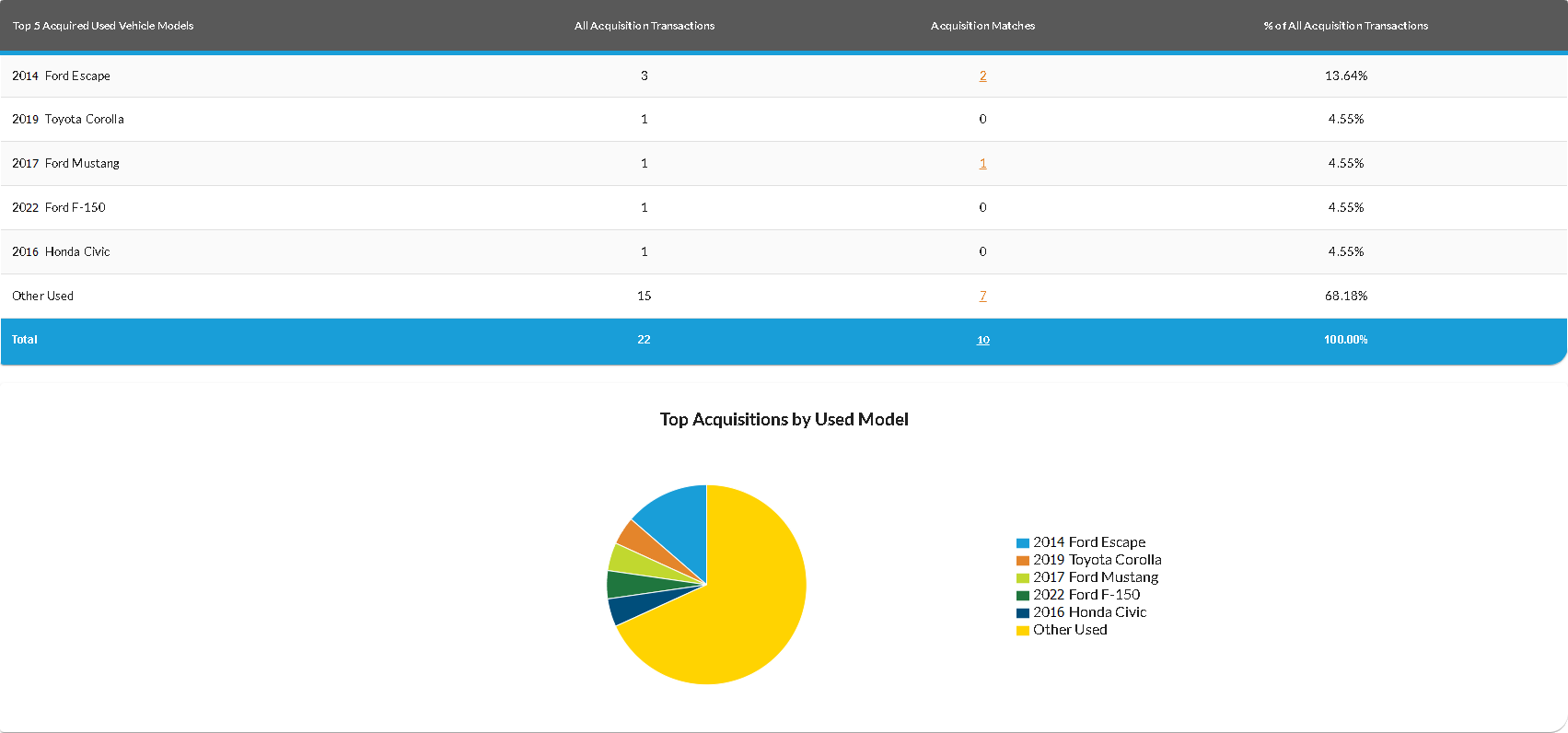
The Top Acquisitions By Model graph displays the percentage of acquisitions for each of the top five models. Hover the mouse cursor over a section on the graph to display a tooltip with the percentage of sales for the corresponding model.
The following columns are available in the Vehicles tab.
Top 5 Acquired Vehicle Models: The year, make, and model of the vehicle display.
All Acquisition Transactions: The number of vehicles acquired from customers during the entered date range for the corresponding vehicle model displays.
Acquisition Matches: (Link) The number of vehicles acquired from XtreamService leads during
% Of All Acquisition Transactions: The percentage of vehicle acquisitions associated with the the corresponding vehicle model displays.
Click here for a list of products that may be mentioned in this help file.